TradePlanner Pro
Design Your Complete Trade from Trend to Final Order
You identify the trend. You draw the channel. You pick a Fibonacci level for entry. You switch to a calculator for position sizing. You check S&R for the stoploss. You open a spreadsheet for P&L. Then you manually type in the grid orders to your exchange. Six tools to do one trade. Something always gets lost in the handoff.
Everything runs in one indicator, live on chart, updated on every bar.
What's Inside
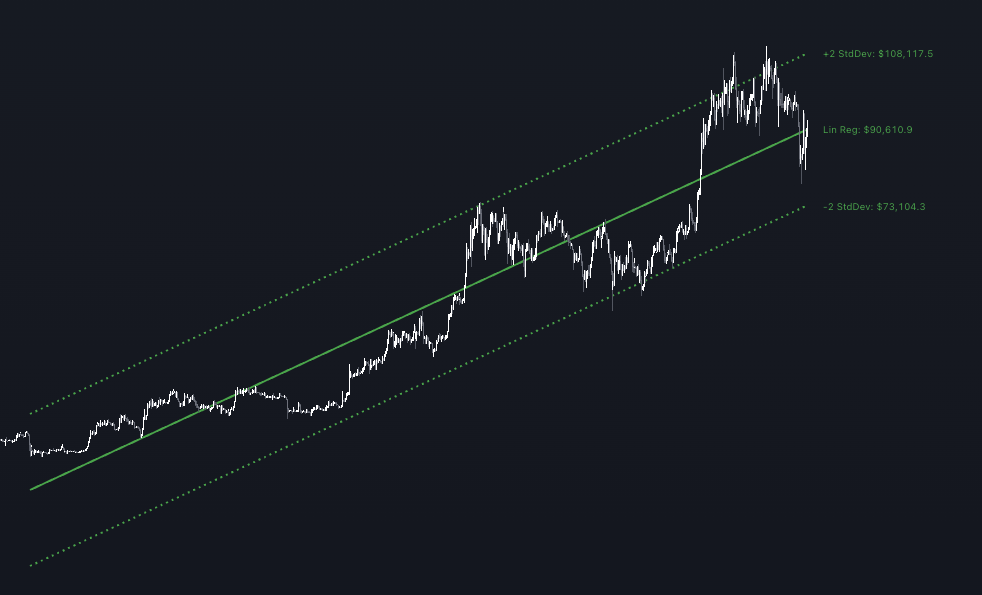
Automated linear regression channel
Scans up to 1,000 bars to find the most statistically accurate trend channel — no manual drawing, no eyeballing
Quadratic regression validation
Confirms trend direction against a quadratic regression fit and triple moving average system (MA 200/100/50)
Market stage classifier
Identifies Accumulation, Distribution, and Retracement phases using Volume Profile and Bollinger Bands
Fibonacci grid overlay
Automatic support, resistance, and breakout levels drawn from key price highs and lows
Real-time P&L estimator
See your ROI, ROE, and Risk/Reward Ratio before you enter — updated continuously as price moves
Order generator
Calculates exact grid order prices and quantities for limit order execution, factoring in your exchange fees
See It on Your Chart
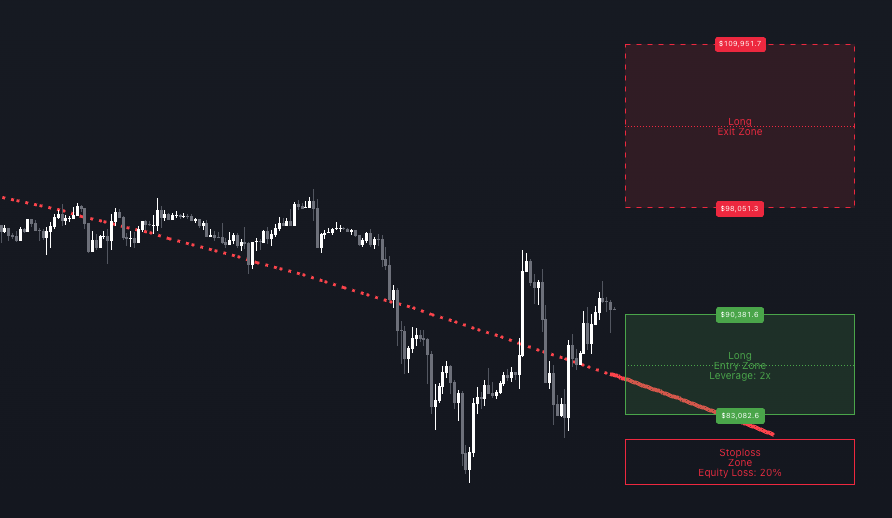
Trade Setup Mode: entry zone, take-profit, stop-loss, and liquidation on chart. P&L table shows ROI, ROE, RRR, and full grid order breakdown.
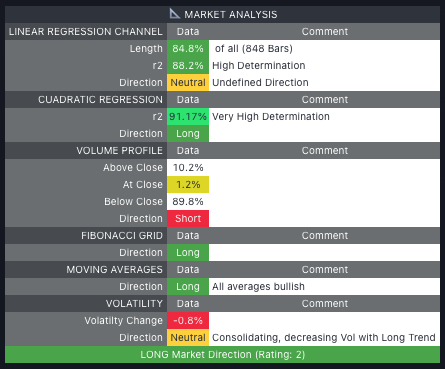
Market stage classifier — Accumulation, Distribution, or Retracement identified using Volume Profile and Bollinger Bands.
Why Traders Use It
- One tool replaces your entire pre-trade workflow — trend analysis, level identification, risk calculation, and order generation in one place
- No manual recalibration — all levels adapt dynamically to market movement as price evolves
- Know the market stage before you enter — entering a retracement vs. entering an accumulation are two very different trades
- The P&L picture is always live — ROI, ROE, and RRR update on every bar so you always know what you're risking
- Used live in CSJ9 institutional fund operations — powers pre-trade analysis across 7 managed accounts
FAQ
Add your TradingView username at checkout — access granted within 1–3 hours
You Might Also Need
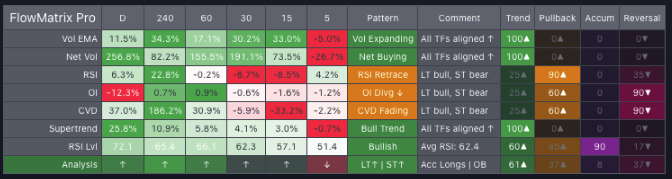
FlowMatrix Pro
Read Every Timeframe at Once Before You Take Any Trade
View Details →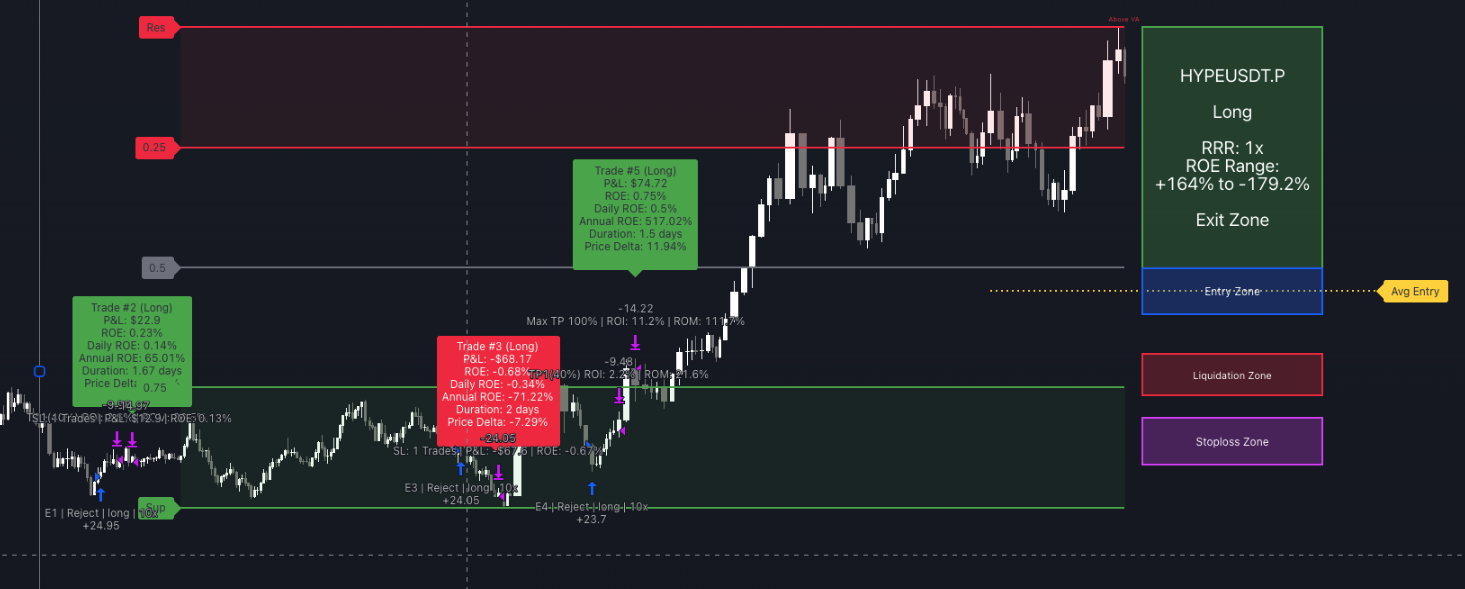
SignalEngine Pro
Automate Your Entries, TP Ladder, and Exits on Any Chart
View Details →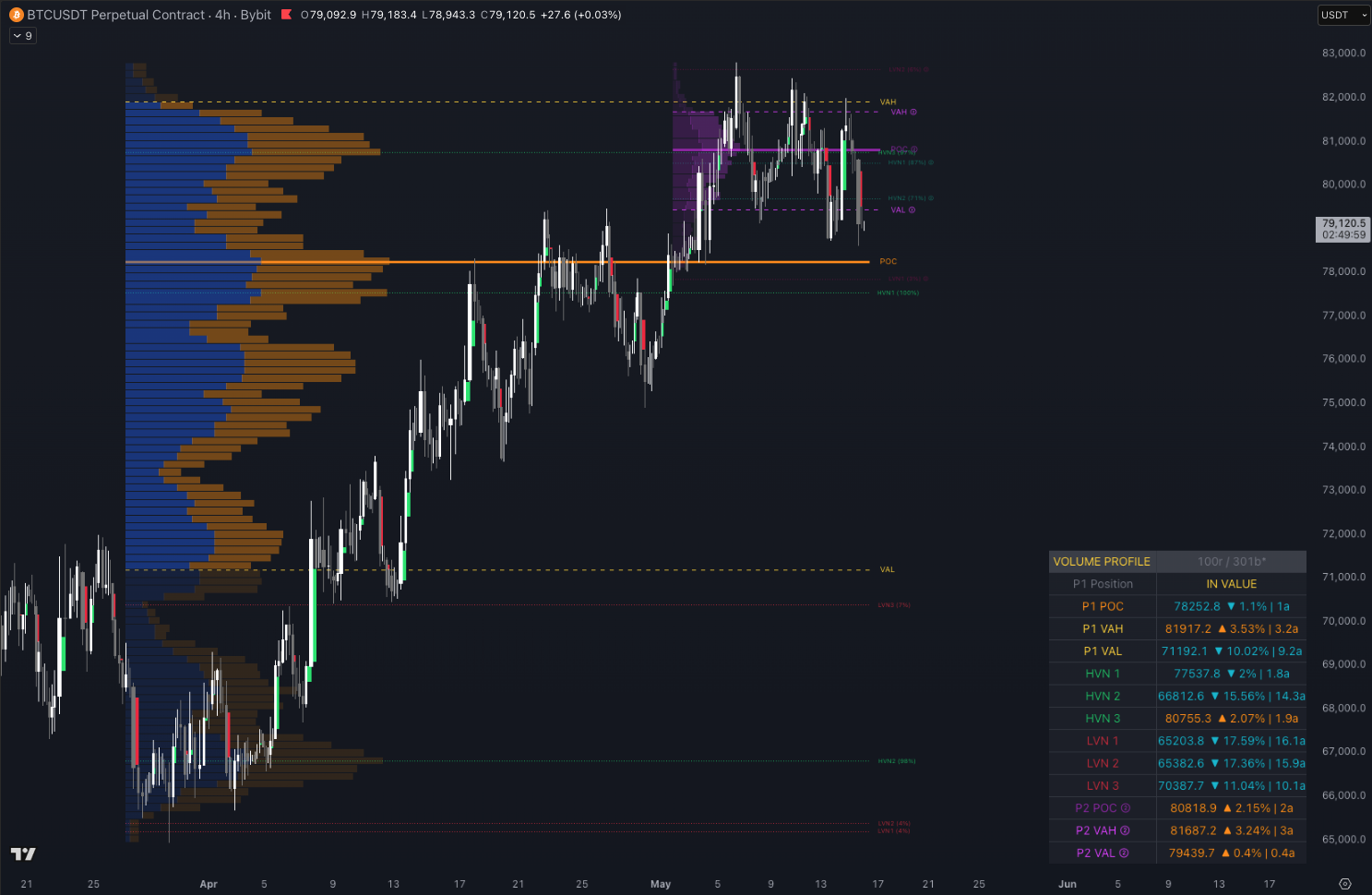
Volume Profile Pro
See Where the Market Really Traded Before You Enter
View Details →