Volume Profile Pro
See Where the Market Really Traded Before You Enter
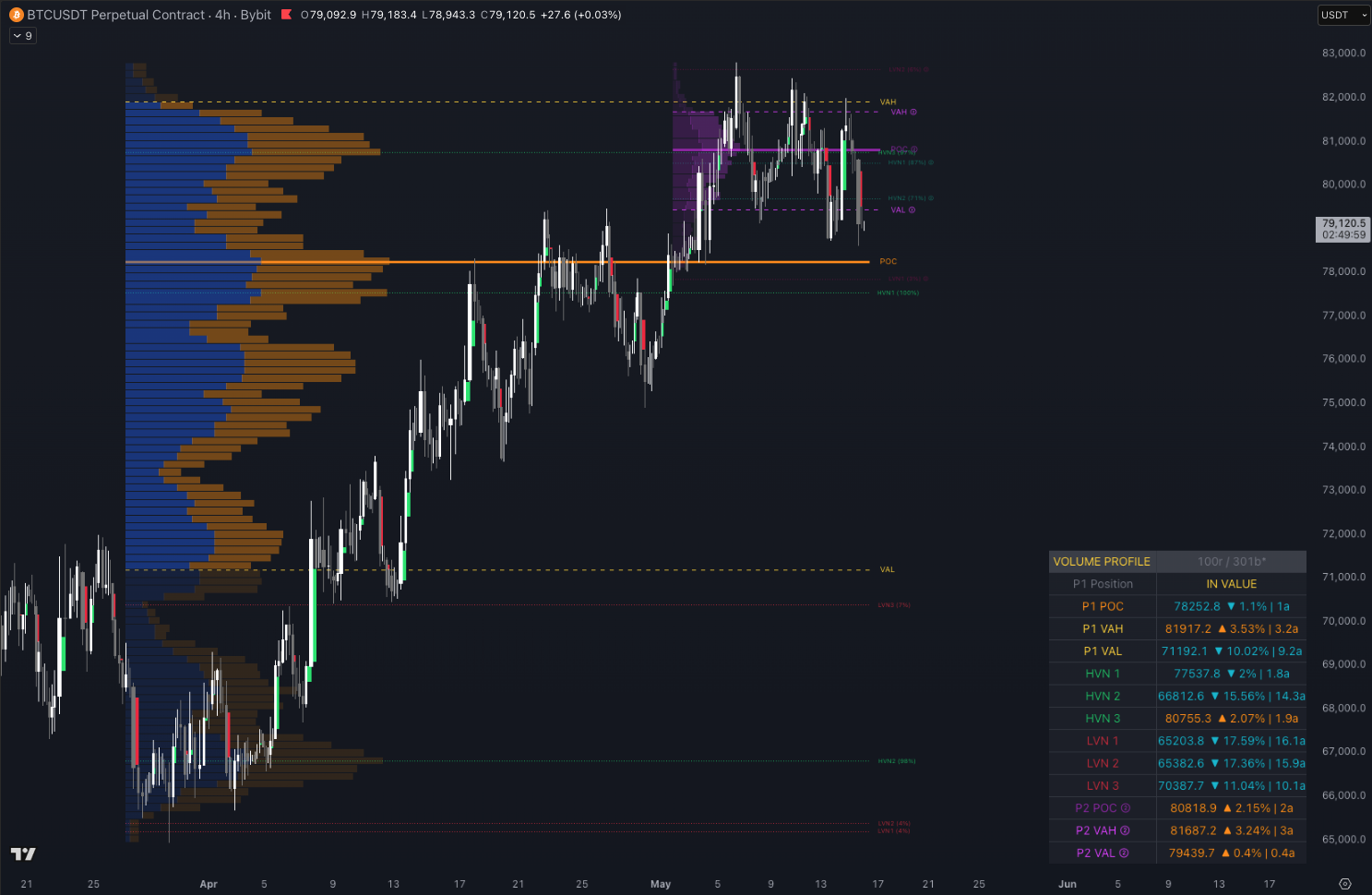
Professional traders and institutions use Volume Profile. They know exactly where the market transacted the most volume, where buyers and sellers agreed on price, and where the voids are that price moves through quickly. Most Volume Profile tools are rigid — one profile, one session. If you want session context and macro context at the same time, you need two indicators and you're scrolling between charts while price is moving.
Two simultaneous profiles. One view. Real-time distance to every key level.
What's Inside
Dual simultaneous profiles
Run P1 (current session) and P2 (broader lookback) at the same time — two timeframes of VP confluence in one chart view
6 configurable session types
Last N Bars, From Date, Today's Session, Previous Day, Current Week, or custom date range — for each profile independently
POC, VAH, VAL
Automatically calculated and plotted as labeled horizontal lines — the three most-watched institutional levels
HVN and LVN detection
High Volume Nodes where price slows and reverses, Low Volume Nodes where price accelerates — identified automatically
Real-time info table
Exact distance from current price to every key level in both % and ATR — orange = above, aqua = below, yellow = at level
6 alert conditions
VAH cross, VAL cross, and POC cross in both directions — fire when price enters critical zones
See It on Your Chart
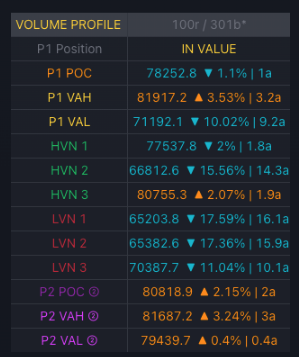
Info table detail: P1 and P2 levels with exact distance in % and ATR. Orange = above, aqua = below, yellow = within 0.3% of level.
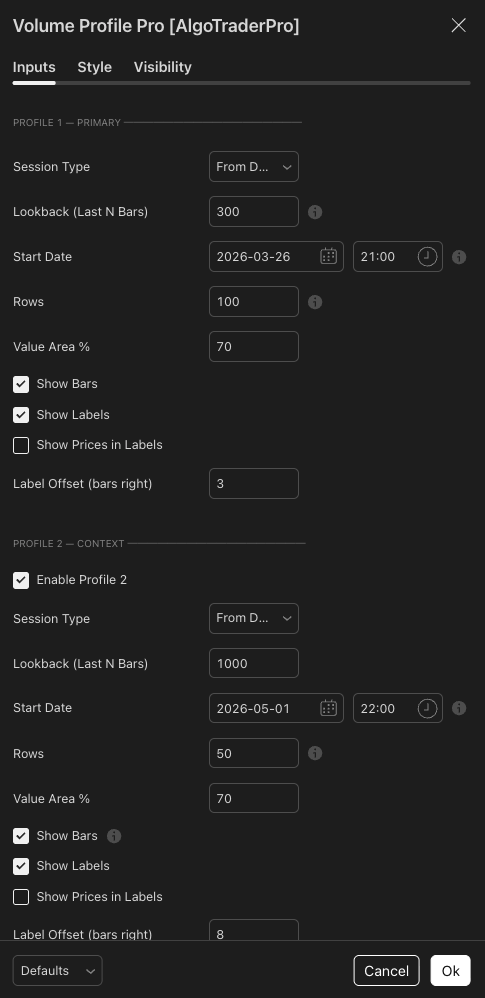
Dual profiles configured independently — P1 for the current session, P2 for broader multi-day institutional context.
Why Traders Use It
- Two profiles at once — trade your session while maintaining broader institutional context without switching charts
- HVN/LVN detection removes guesswork — see the magnetic levels and the voids, not just a raw histogram
- Real-time distance display — always know exactly how far price is from the level that matters
- Alerts fire when it matters — VAH, VAL, and POC crosses define whether a level holds or breaks
- Used live in CSJ9 institutional fund operations — the dual-profile VP is the daily bias and entry zone identification tool across 7 managed accounts
FAQ
Add your TradingView username at checkout — access granted within 1–3 hours
You Might Also Need
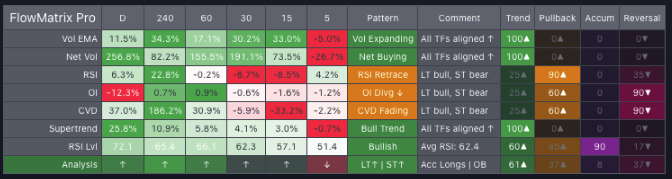
FlowMatrix Pro
Read Every Timeframe at Once Before You Take Any Trade
View Details →